

192.168.o.1 Or 192.168.0.1?
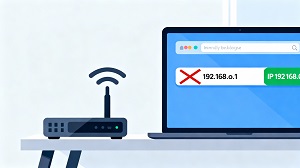 If you ever tried to open your router settings and nothing happened, there is a good chance you typed 192.168.o.1 instead of 192.168.0.1. That tiny swap of the letter “o” for the number “0” is enough to stop your browser from finding your router.
Routers only understand numeric IP addresses, so as soon as there is a letter in there, the address becomes invalid and you end up with an error page instead of the login screen.
What 192.168.0.1 Actually Is
192.168.0.1 is a private IP address used inside your home or office network, not on the wider internet. Many routers use it as their default gateway, which is the address you visit in your browser to manage things like Wi‑Fi name, password, security options, connected devices, and firmware updates.
Brands such as TP‑Link, D‑Link, and Netgear commonly ship routers that respond on 192.168.0.1 out of the box.
How To Open Your Router Settings
To get into your router’s control panel safely, follow these simple steps.
- Connect your device to the router, either over Wi‑Fi or with an Ethernet cable.
- Open any modern browser such as Chrome, Firefox, Safari, or Edge.
- Type 192.168.0.1 in the address bar, making sure you use the number zero and not the letter “o”.
- When the login page appears, enter the username and password from the router label or manual.
- After logging in, you can change Wi‑Fi credentials, tweak security settings, and install firmware updates.
What Happens If You Use 192.168.o.1
When 192.168.o.1 is entered, the browser tries to interpret it but fails because the address contains a letter where only numbers are allowed. This usually leads to messages like “page cannot be displayed,” DNS‑related errors, or a simple failure to connect.
If that happens, just check the address carefully and replace the “o” with “0” before trying again.
Easy Ways To Avoid The Typo
A couple of small habits can save you from repeating the same mistake.
- Be cautious when copying IPs from manuals or websites so you do not accidentally swap characters.
- Remember: it is always a zero in IP addresses, never the letter “o.”
- Once you successfully open your router page, bookmark it so you can return with one click next time.
Other Router IP Addresses To Try
Not every router uses 192.168.0.1, so if that address does not load anything, your device might use a different default. Some common alternatives include 192.168.1.1, 192.168.2.1, and 10.0.0.1.
If none of these work, check the sticker on your router or the manufacturer’s documentation to confirm the correct login IP.
Why Getting This Right Matters
Being able to reach your router’s admin page is important for keeping your network secure and running smoothly. A simple typo like 192.168.o.1 can slow down troubleshooting and make it harder to update passwords or security options when you need to.
Using the correct address, usually 192.168.0.1, lets you get straight into your settings so you can manage your Wi‑Fi and protect your home network without unnecessary frustration.